What is Code2Prize?
Code2Prize is a self-hosted WordPress plugin purpose-built for proof-of-purchase promotions — the kind of campaigns you find under bottle caps, inside packaging, or printed on receipts. Upload your pre-printed alphanumeric codes, define your prize plan, and Code2Prize handles fair validation, winner selection, storage and notifications.
Run a real campaign end-to-end without a developer: upload codes, set prizes, publish a page with the shortcode.
Native WP data model (wp_prize_codes, wp_prize_winners), AJAX endpoints, WPML strings and standard hooks.
Install & activate
You'll receive a code2prize.zip file after purchase on CodeCanyon.
- 1Log in to wp-admin. Go to Plugins → Add New → Upload Plugin.
- 2Choose
code2prize.zipand click Install Now. - 3Click Activate. Two database tables —
wp_prize_codesandwp_prize_winners— are created automatically. - 4A new Prize menu appears in the WordPress admin sidebar.
First-time settings
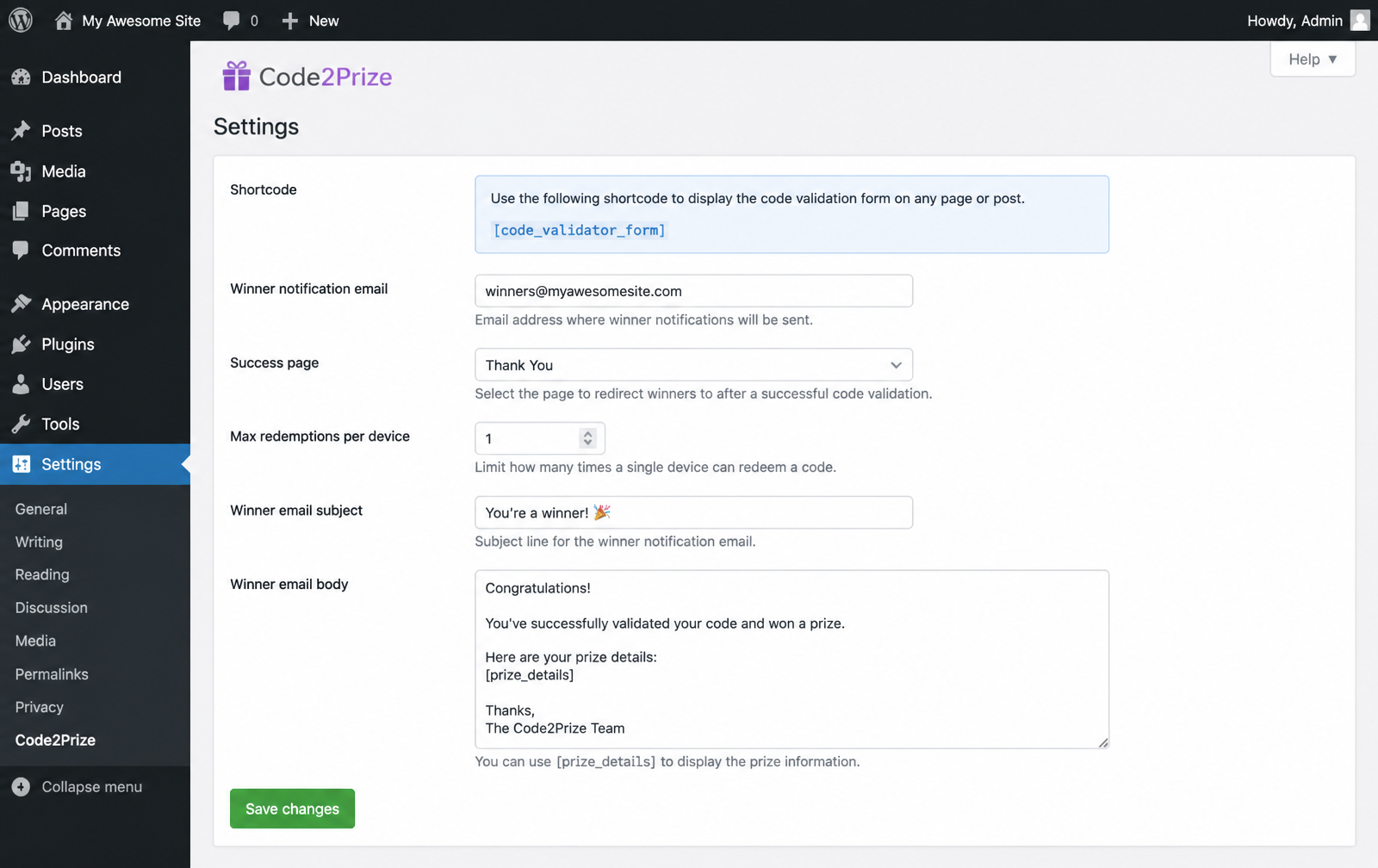
Open Prize → Settings and fill in the fields below. All settings are stored as standard WordPress options.

| Option | wp_options key | Purpose |
|---|---|---|
| Winner notification email | code_validator_admin_email | Address(es) that receive an email on every win. Falls back to WP admin_email. |
| Success page | code_validator_success_page | Optional page shown to end-users after claim. |
| Max redemptions / device | code_validator_max_prize_redemptions_per_device | Anti-abuse cap per IP / device fingerprint. |
| Winner email subject | code_validator_winner_email_subject | Subject line of the notification email. |
| Winner email body | code_validator_winner_email_body | HTML body. Supports the [prize_details] placeholder. |
A guided tour of wp-admin
Every screen lives under the Prize menu — no external SaaS, no separate dashboard.
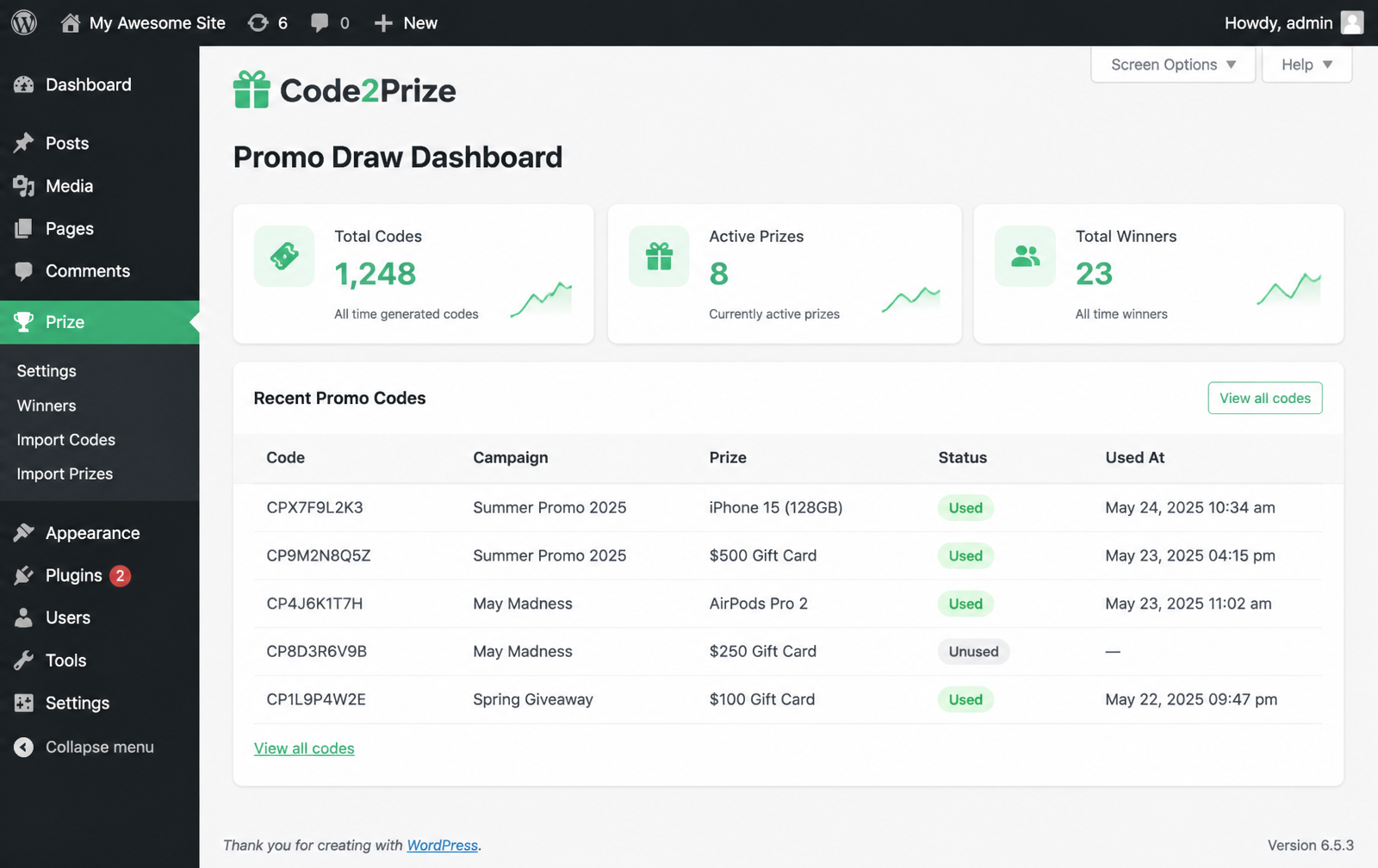
Global options, shortcode reference, winner email template.
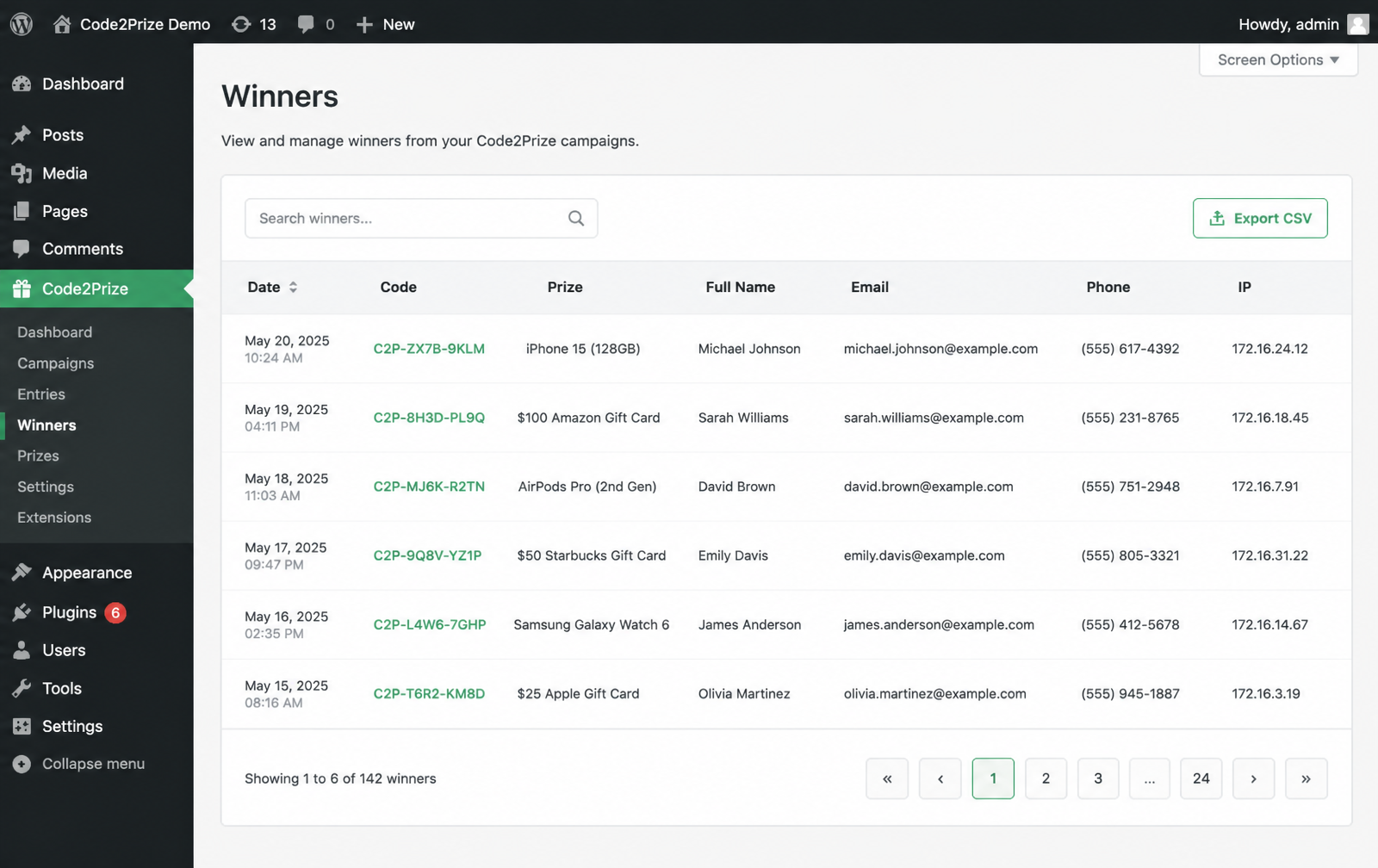
Paginated + searchable table of every winning submission with export.
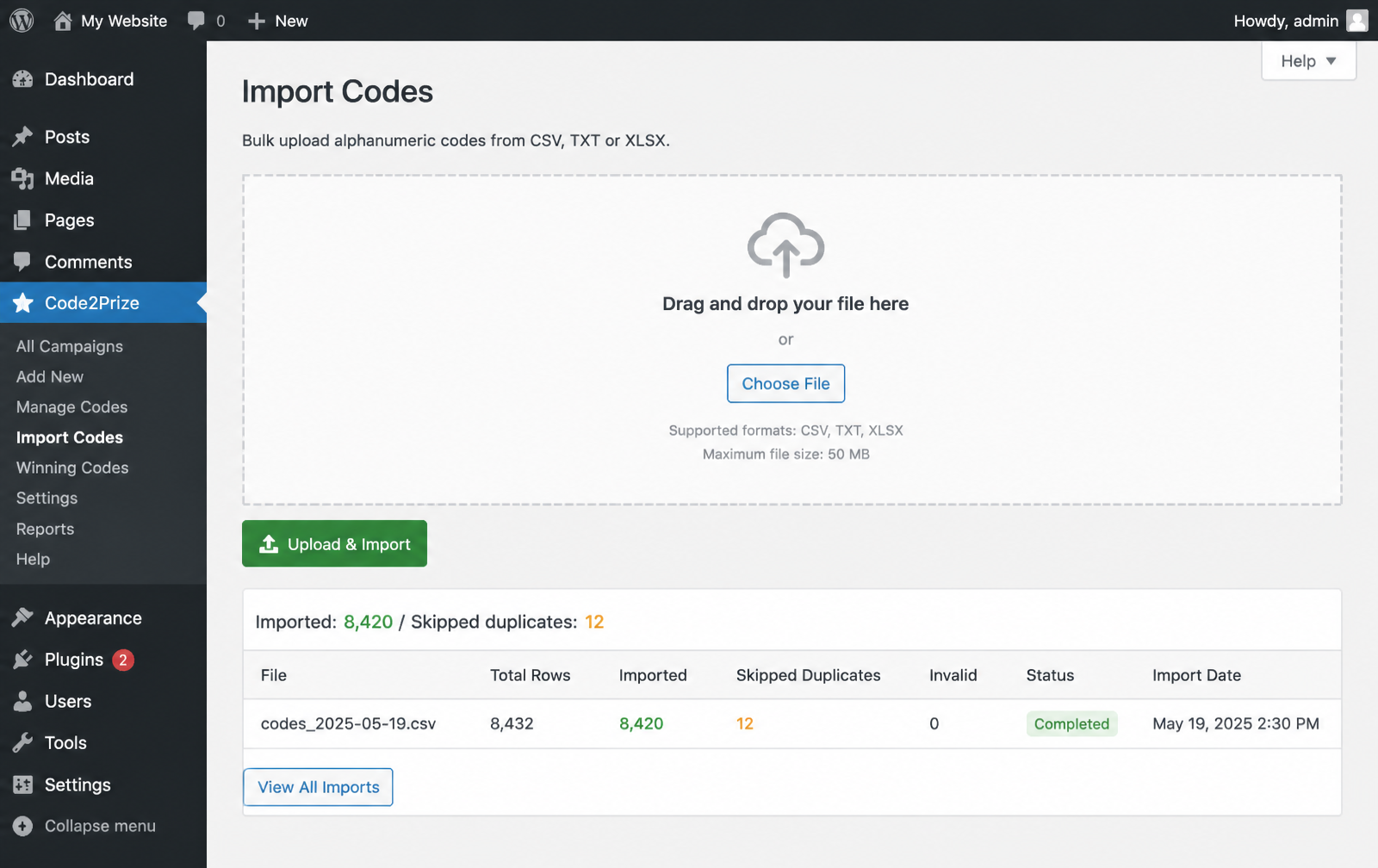
Upload .csv, .txt or .xlsx. AJAX loader, duplicate detection.
Bulk-create prize items with name, value, dates and threshold.
Importing codes in bulk
Use the provided codes_template.csv — one column, one code per line. Duplicates in the file and existing rows in the database are skipped automatically.
# codes_template.csv
code
ABC123XYZ
CPX7F9L2K3
CP9M2N8Q5Z
CP4J6K1T7H
# Rows are trimmed and upper-cased on import.
upload_max_filesizeDefining prizes
A prize is a WordPress custom entry with a name, value, an active window (start / end date) and a failed-attempts threshold — the deterministic counter that decides when the next successful code wins that prize. Bulk import via prizes_template.csv.
# prizes_template.csv
name,value,start_date,end_date,threshold,image_url
iPhone 15 (128GB),1200,2026-06-01,2026-08-31,500,https://example.com/iphone.jpg
$100 Gift Card,100,2026-06-01,2026-08-31,50,https://example.com/gift.jpg
Free Product,10,2026-06-01,2026-12-31,25,
Rendering the entry form
Paste the primary shortcode on any page or post. That's the whole integration — no Contact Form 7, no WPForms, no Elementor required (though it plays nicely with all of them).
[code_validator_form]
| Shortcode | Description |
|---|---|
[code_validator_form] | Primary entry form. AJAX-validated. |
[winner_details] | Winner details capture form (name, email, phone, address). |
What your customers see
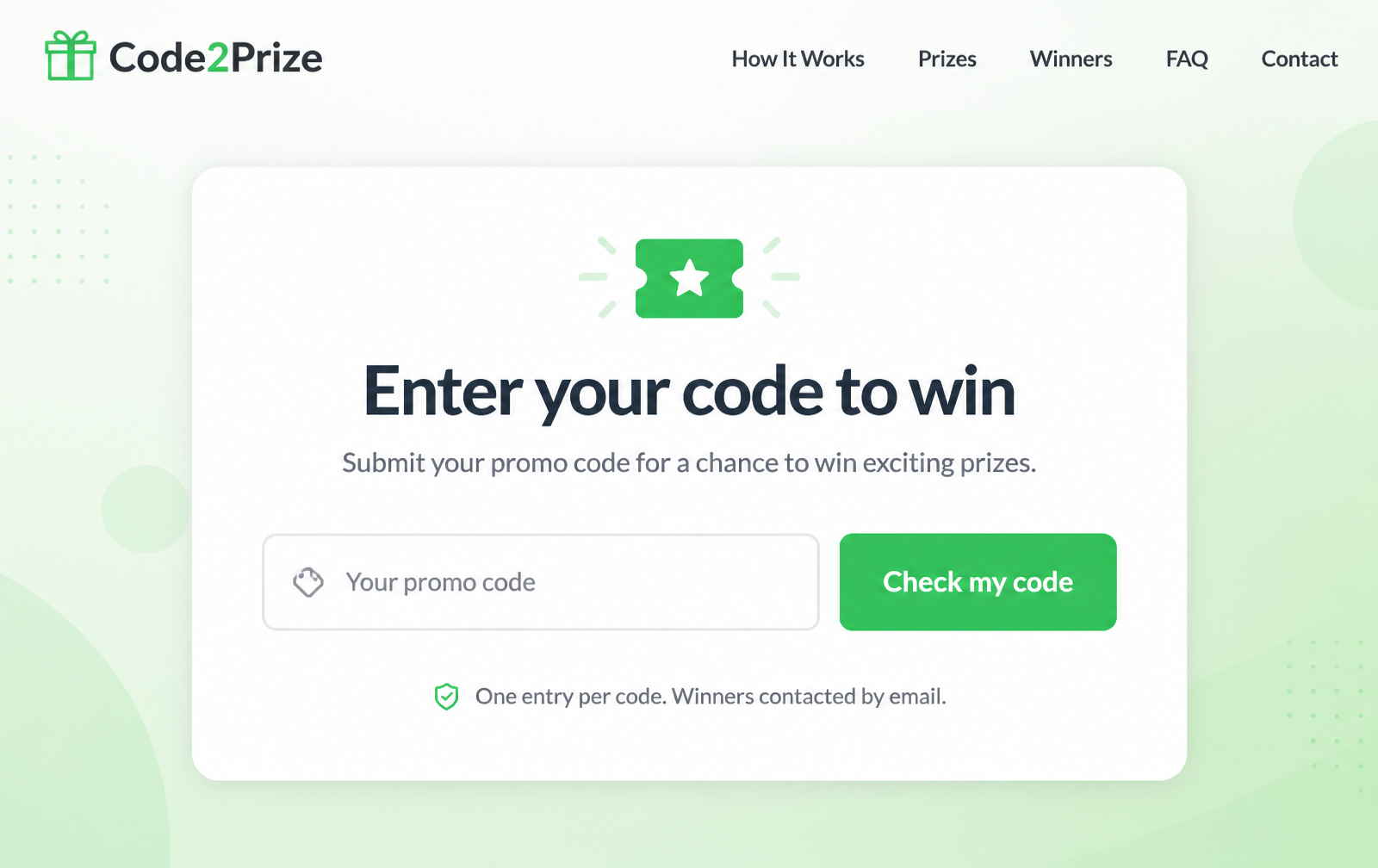

- Enter code → AJAX call to
admin-ajax.php?action=validate_prize_code. - Result → invalid, already-used, no-win, or winner.
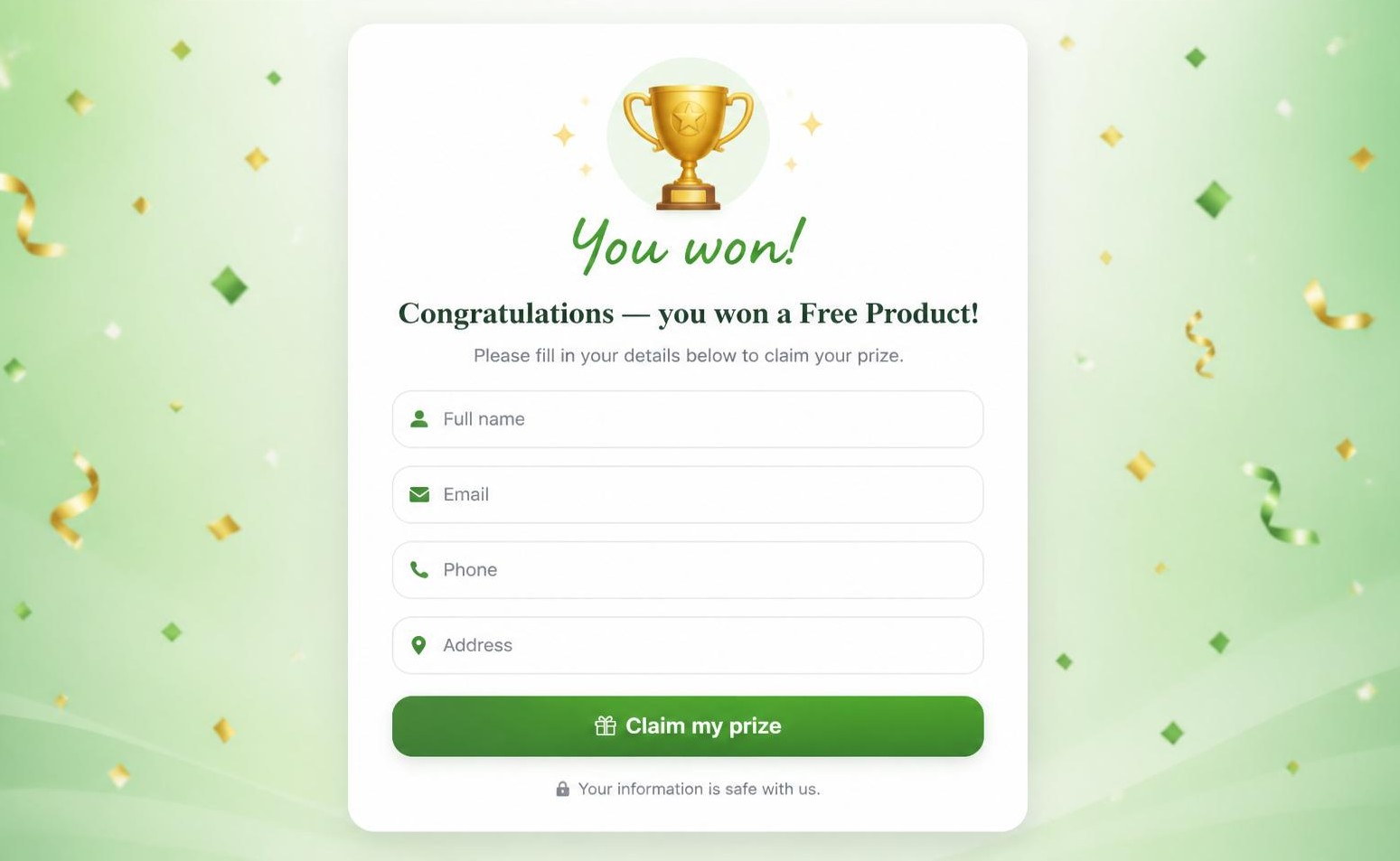
- Claim → the winner form appears with the prize's featured image. Details are stored in
wp_prize_winners. - Notify → the site admin gets an email; the code is locked instantly.
Managing winners
The Winners screen lists every claim: date, code, prize, personal details, IP and user agent. Includes search and pagination; export to CSV for fulfillment.
Multilingual with WPML
Code2Prize registers per-language message strings and page IDs so the same shortcode adapts to the active language automatically.
// wp_options keys registered by the plugin
code_validator_page_id_en
code_validator_page_id_el
code_validator_msg_en_invalid
code_validator_msg_el_invalid
code_validator_msg_en_used
code_validator_msg_el_used
// ...plus success, error, winner, no-win variants.
Add a new language by duplicating the pattern code_validator_msg_<lang>_<key>. The plugin picks up the active WPML locale on the fly.
Developer reference
The plugin follows standard WordPress conventions: text domain code2prize, translations in /languages, all AJAX calls routed through admin-ajax.php.
AJAX endpoints
| Action | Method | Purpose |
|---|---|---|
validate_prize_code | POST | Validate a submitted code, return status & prize. |
submit_winner_details | POST | Persist winner form & trigger admin email. |
code2prize_import_codes | POST | Admin-only bulk import handler. |
code2prize_import_prizes | POST | Admin-only prize import handler. |
Sample cURL — validate a code
curl -X POST https://example.com/wp-admin/admin-ajax.php \
  -d "action=validate_prize_code" \
  -d "code=CPX7F9L2K3" \
  -d "nonce=<wp_nonce>"
Sample response
{
  "success": true,
  "data": {
    "status": "winner",
    "prize_id": 42,
    "prize_name": "iPhone 15 (128GB)",
    "image": "https://…/iphone.jpg"
  }
}
Database schema
Both tables are created via dbDelta() on activation and re-checked on load.
wp_prize_codes
id            BIGINT UNSIGNED  PK, AUTO_INCREMENT
code          VARCHAR(255)     UNIQUE
status        VARCHAR(50)      -- pending | used | won
use_date      DATETIME
prize_id      BIGINT UNSIGNED
created_at    DATETIME         DEFAULT CURRENT_TIMESTAMP
wp_prize_winners
id            BIGINT UNSIGNED  PK, AUTO_INCREMENT
code          VARCHAR(255)
prize_id      BIGINT UNSIGNED
prize_name    VARCHAR(255)
full_name     VARCHAR(255)
email         VARCHAR(255)
phone         VARCHAR(50)
address       TEXT
ip_address    VARCHAR(45)
user_agent    TEXT
win_date      DATETIME         DEFAULT CURRENT_TIMESTAMP
sequence      INT
Filters & actions
Extend or override behavior from your own theme / plugin.
// Send winner notifications to Slack as well as email
add_action('code2prize_after_winner_saved', function($winner) {
  wp_remote_post('https://hooks.slack.com/…', [
    'body' => wp_json_encode([
      'text' => "🎉 New winner: {$winner['full_name']} — {$winner['prize_name']}",
    ]),
  ]);
});

// Customize the winner email body
add_filter('code2prize_winner_email_body', function($body, $winner) {
  return "Hi {$winner['full_name']},\n\n" . $body;
}, 10, 2);
FAQ & troubleshooting
Codes aren't validating — what should I check?+
Confirm the shortcode is on a published page, that the code exists in wp_prize_codes (case-sensitive after trim/upper), and check the browser console for the AJAX response.
The winner email never arrives.+
WordPress uses PHP mail() by default. Install an SMTP plugin (e.g. WP Mail SMTP) and re-test.
Can I reset a campaign?+
Truncate wp_prize_codes and wp_prize_winners, then re-import your codes.
Does it work with WooCommerce?+
Yes. Code2Prize runs alongside WooCommerce with no conflicts and can be embedded on any WooCommerce page via the shortcode.
How do I uninstall cleanly?+
Deactivating keeps your data. Deleting from Plugins fires register_uninstall_hook, which drops both tables and removes all code_validator_* options.
All screenshots
Every screen shipped with Code2Prize v1.0.